


InDesign flatplan for your production workflow
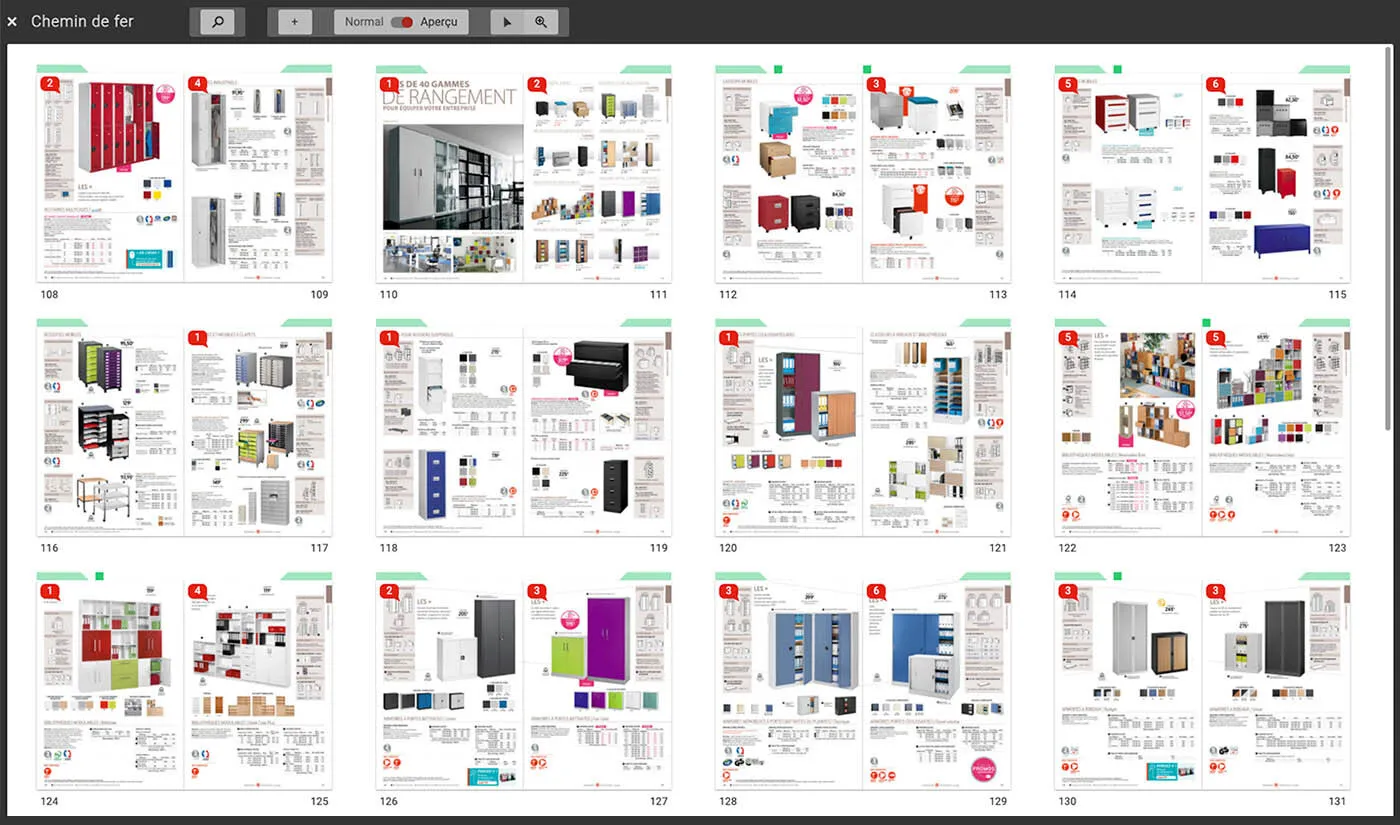
One of the key components of Simple Workspace is the Simple Brief application, an InDesign flatplan designed to manage production of marketing and editorial documents.
The flatplan is widely used in the press industry to track the progress of a magazine, for example. Although software exists to visualize pages on screen, it is still common for pages to be physically displayed as they are produced.
In Simple Workspace , the flatplan serves several purposes:
- Publication production: an organization centralizes all elements required to produce a magazine, an RFP response, a product catalog, etc., and shares them with all stakeholders. (see Finishing on time );
- Translation and localization: an agency can provide a master InDesign document that will be localized by different Business Units according to the target countries’ languages. (see Translation & localization of creative documents );
- Online proofs (ready for press): A printer or design studio uses it to have all pages reviewed and validated by the client. (see the excellent video produced by Imprimerie Mordacq)
In all cases, Simple Brief (our InDesign flatplan) displays the document pages prepared in InDesign to present them to different users.
Logical view vs physical medium
To present the document smoothly and quickly in the Simple Brief web interface, the solution dematerializes the InDesign file: each page is processed in InDesign, then exported by InDesign Server as a PNG before being sent to the browser.
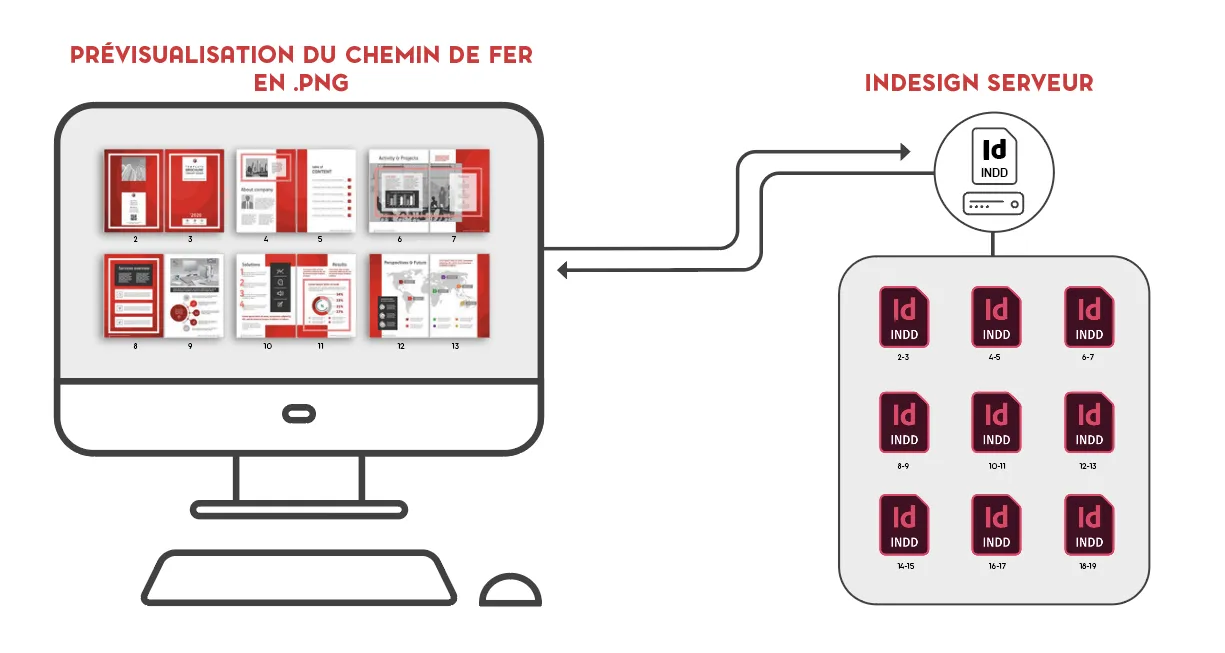
It is important to note that thanks to InDesign Server, what the user sees in the interface is a faithful reflection of the InDesign document.
As you may have guessed, the page is the basic work unit. This approach offers significant flexibility:
- It allows the management of large page counts with high performance 1;
- If permitted, you can move page 3 to page 15 with a simple drag-and-drop;
- It is possible to work on a single page, a spread, or even a continuous or discontinuous selection of pages 2. And pages can be assigned to different users!
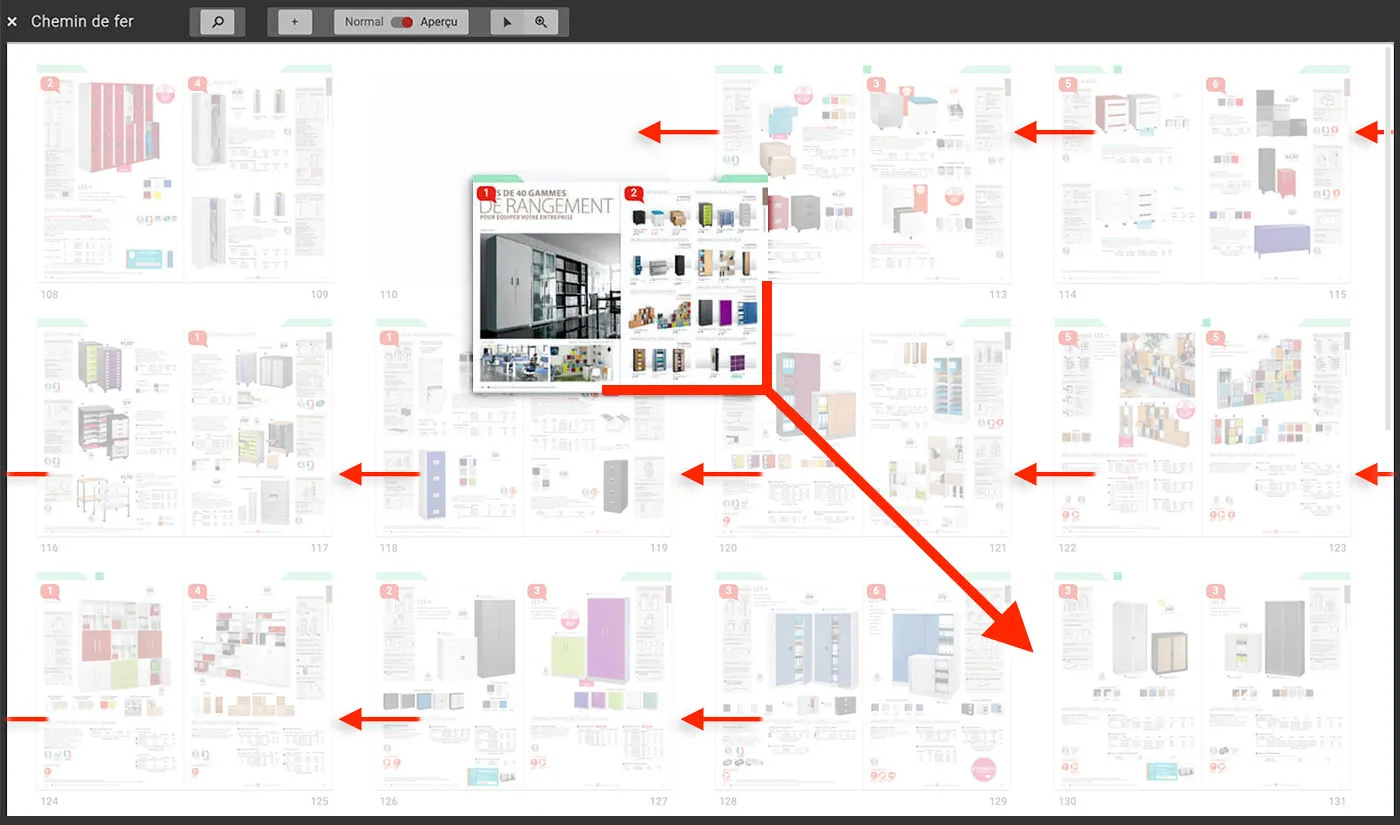
Moving a page in the InDesign flatplan
Another benefit: during the document construction phase (placing data in the pages), the pages are instantly updated when content is modified in the product database. When a designer wants to work on a page or a selection (continuous or not) of pages using InDesign, a document—called a “support” at J2S—re-materializes the pages into an InDesign file usable locally. When the user sends his work back into the flatplan, the previews are updated for all users. From there, workflows drive the update flow to secure the work performed by the studio.
If you would like to explore the capabilities of Simple Brief, our InDesign flatplan, feel free to contact us . We will be happy to arrange a demo.
FAQ
What is a flatplan in editorial production?
A visual representation of all the pages in a document (catalog, brochure, magazine, etc.) used to track their progress.
Why use a digital flatplan—in other words, an InDesign flatplan—rather than a paper layout?
Because it enables remote collaboration, faster validation, automated updates, and fewer errors.
How does Simple Brief integrate with Adobe InDesign?
Each page is generated through InDesign Server and displayed in the browser, ensuring perfect visual page fidelity.
Is the Simple Workspace InDesign flatplan only suited for press publishing?
No, it adapts to all types of publications: catalogs, brochures, technical documents, marketing or commercial materials.
Can multiple languages or markets be managed with Simple Brief?
Yes. Thanks to translation and localization features, a master document can be adapted into multiple international versions.
Can Simple Brief replace a traditional PDF proofing workflow?
Yes. Validation is performed directly online, without sending PDFs by email.
Is it possible to automate product catalog layout?
Yes. Simple Workspace relies on your data (PIM, DAM, ERP) to automatically generate InDesign pages.

R. Loubéjac
Cofounder of J2S

Performance is also linked to the work done on our technological components, including J2S Dispatcher , which ensures service continuity and load balancing across InDesign Server instances. ↩︎
You just need to be careful to select pages containing linked text. Don’t worry, an alert is displayed if needed. ↩︎